

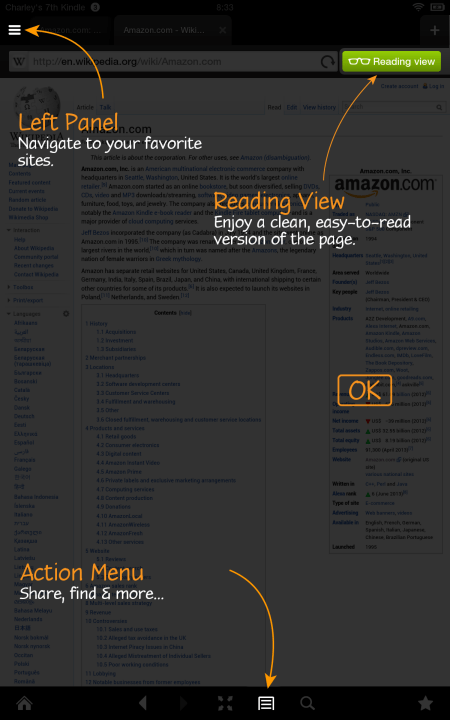
According to a blog post by the Silk team, the updated Silk browsers includes a redesigned user interface, improved browser controls, simpler navigation and easy access to “Reading View.” In addition, the update also includes performance improvements to browser rendering engine and more.
“Our goal with the Silk redesign is to provide a faster, more fluid, and more elegant browsing experience to help customers discover and rediscover the content that matters to them,” noted Silk team in the blog post.
The updated Silk browser is rolling out automatically to all Kindle Fire tablets and will continue over the next few days.
You can read in detail about the updated version in the Amazon blog post.


6 replies on “Amazon updates Silk web browser on Kindle Fire tablets”
The new update is okay. It’s just something else that I have to get used to
Update? So far this is worse. How do I remove this piece of junk? Kindle is bad enough but where do I clear cookies and other ‘remembered’ data now? Is it keep automatically putting in the wrong word when I try to search for something?
This is a well and good….however, I still cannot update my flash player with Silk, therefore I still cannot watch videos or play certain games! Way to go Team Silk!!
Now my screen breaks when scrolling!
The new silk browser sucks with Facebook!! I want my old Facebook back. I can’t see any of the comments made on pages. I can only see a few pages when I go to Pages feed, and with Facebook these days, it’s the only way I csn see many of these pages on my timeline. I don’t see birthday reminders on the right side of the page nor any of the “trending” news.
This new silk is awful. Bring back the old version.