Advertisements

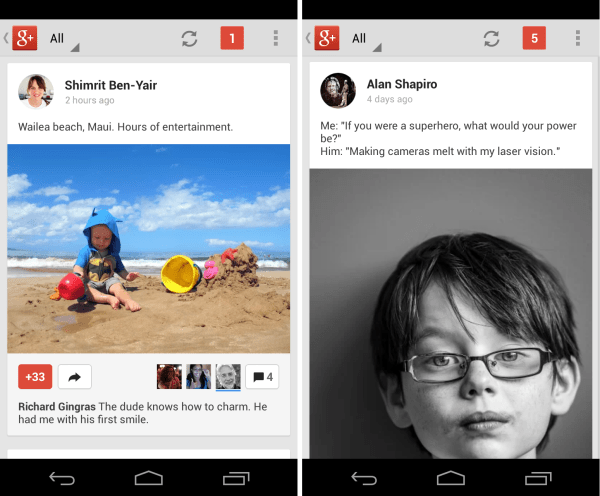
Among other changes, now more post text will be visible in stream. The latest update also brings ability to swipe albums Inline, share your current location on your Google+ profile, ability to adjust the volume of community posts in your Home stream and more.
Check out the detailed change-log below:
Photos:
- Do basic edits like rotate and crop, as well as select filters like Drama and Retrolux
- Adjust saturation, contrast, brightness and lots more by sliding your fingers up-and-down, then left-and-right
- Single tap at any time to compare your creation with the original
Posts:
- Posts include more text up front—from the original message, and from comments
- Tapping video, photo or link attachments takes you directly to a watch page, lightbox or website
- Image previews are rarely cropped, so you’ll see portrait photos (for instance) in all their glory
- Key actions like +1, reshare and comment are displayed more prominently in each post
- You can swipe through photo albums inline
Profiles:
- Display your current location on your Google+ profile
- When someone with permission visits your profile, for example, they’ll see your current whereabouts underneath your name
Communities:
- The ability to adjust the volume of community posts in your Home stream
- The option to invite people to a community, or reshare items with a community
- Member search, content moderation, and report-remove-ban support for community managers