

Advertisements
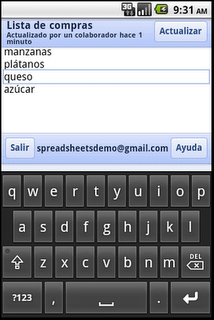
Good news for Indian users, the languages include Hindi, Gujarati, Kannada, Tamil and Telugu apart from foreign languages like Arabic, Chinese, French, and Spanish etc.
Earlier, the service was confined to English language only. To begin editing, visit docs.google.com in your mobile browser, and select a document to edit. Switch from view to edit mode by pressing ‘Edit’ to turn on the mobile editor and start typing away.
So what are you waiting for? Turn vernacular as you manage and edit text and spreadsheet documents in your own language!
| Supported languages | |
| Arabic | |
| Bulgarian | |
| Catalan | |
| Chinese (Simplified) | |
| Chinese (Traditional) | |
| Croatian | |
| Czech | |
| Danish | |
| Dutch | |
| English | |
| English (UK) | |
| Filipino | |
| Finnish | |
| French | |
| German | |
| Greek | |
| Gujarati | |
| Hebrew | |
| Hindi | |
| Hungarian | |
| Indonesian | |
| Italian | |
| Japanese | |
| Kannada | |
| Korean | |
| Latvian | |
| Lithuanian | |
| Malayalam | |
| Marathi | |
| Norwegian | |
| Polish | |
| Portuguese (Portugal) | |
| Portuguese (Brazil) | |
| Romanian | |
| Russian | |
| Serbian | |
| Slovak | |
| Slovenian | |
| Spanish | |
| Swedish | |
| Tamil | |
| Telugu | |
| Thai | |
| Turkish | |
| Ukrainian | |
| Vietnamese |

